RASIT · DEV · DEFENSE
Back to selected work

Workflow automation

Corrector CARM

A local Windows application that prepares Moodle submissions, supports AI-assisted correction, and requires human review before any grade is saved.

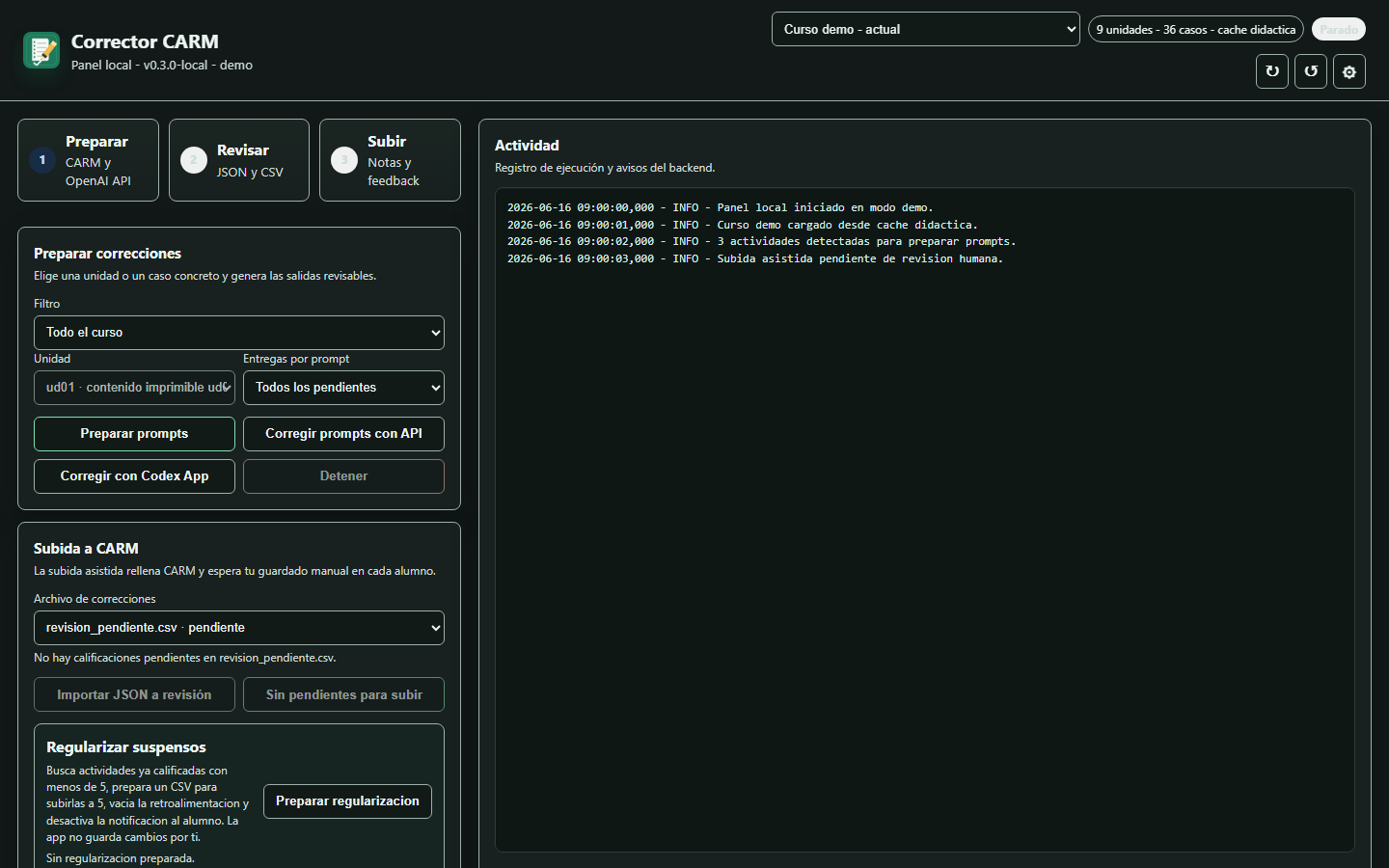
Corrector CARM local application dashboard with demo data
Role

Workflow automation, local application, and release engineering

Year

2026

Status

Public repository · validated local Windows release

Stack

Python · Playwright · OpenAI · Codex

01

The problem

Correcting practical coursework involves downloading submissions, preparing context, reviewing generated feedback, tracking exceptions, and returning to Moodle. Repeating those steps manually creates friction, but fully automatic grading would remove necessary teacher control.

02

My contribution

I built the local workflow, dashboard, validation tools, Windows packaging, guided installer, security documentation, and two assisted correction paths: OpenAI API or external Codex prompts with JSON import.

03

The solution

The application detects courses and activities, downloads pending work, prepares prompts, imports structured corrections into a reviewable CSV, and uses assisted browser automation to fill Moodle. The teacher reviews and performs the final save.

04

Workflow architecture

Automation prepares and fills; a mandatory review boundary preserves the teacher's authority.

Key decisions

  • The workflow supports API-free prompt preparation and later JSON import.
  • Unreadable or uncertain submissions are separated for manual review instead of forcing a result.
  • Windows installation, release checks, guided ZIP, and troubleshooting are documented as part of the product.

Privacy and control

  • The dashboard listens only on 127.0.0.1 and the public package excludes credentials, logs, submissions, corrections, and personal data.
  • Environment files and course workspaces stay local and outside Git and public packages.
  • Browser automation fills the form, but the teacher must review and save each result manually.

Validation

  • The public release documents the validated version, installer filename, and SHA256 checksums.
  • Project checks cover installation, local security, endpoints, packaging, and release readiness.
  • Public screenshots use demonstration data without real credentials or student work.
05

Public evidence

The repository includes user guidance, architecture, security controls, release validation, and a reproducible Windows package.

Next case studyTraceForge